
Artmate: Drawing Together review
 Analysis by GetAllApps
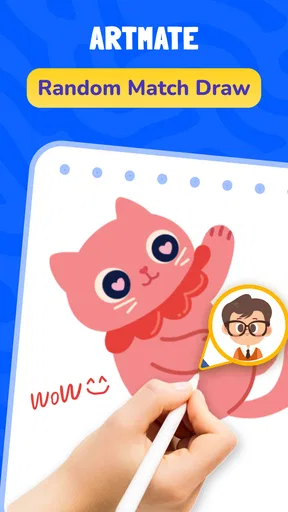
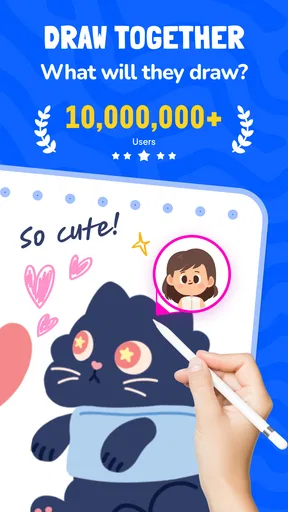
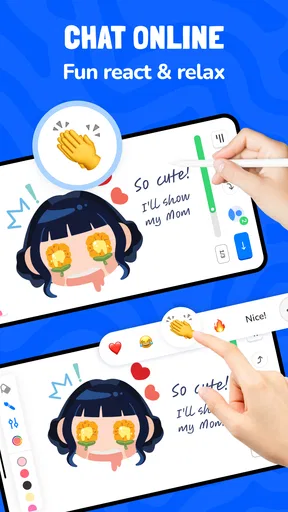
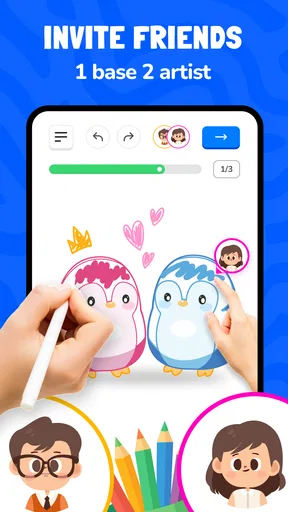
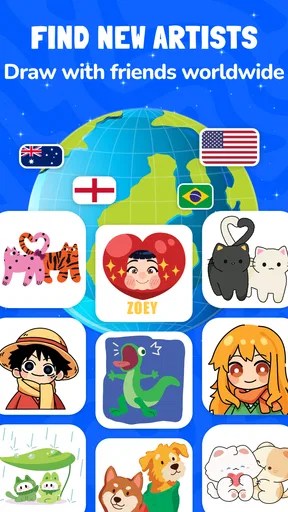
I’d choose Artmate for the moments when drawing is more fun as a shared activity than as a solo project. It is an art-and-design app built around drawing with friends and guided lessons, so its appeal is less about replacing a full creative studio and more about making it easy to sit down, sketch, and learn together. That distinction matters: if you want a highly controlled illustration workflow, a conventional drawing app may suit you better. If you want a low-pressure reason to make something with another person, this is a more inviting place to start.
Drawing together works best when everyone can connect
The multiplayer idea shapes the experience from the outset. A drawing session depends on being able to reach the people you want to draw with, so I’d treat a stable internet connection as part of the plan rather than assume every session will work wherever you happen to be. That has a practical upside: you can turn a casual conversation with a friend into a shared creative activity. The trade-off is that weak or interrupted connectivity can get in the way of the very feature that makes Artmate distinctive.
For a relaxed session, I’d agree on a simple subject before opening the app: a favorite snack, a pet, or an imaginary postcard. A clear prompt helps when participants have different drawing experience, and it makes the lesson-oriented side of the app feel less intimidating. Instead of comparing polished results, everyone can focus on interpreting the same idea in their own way. That is a useful approach for friends who want to draw together but do not know what to make.
Artmate is from Braly JSC, and its identity sits between a social activity and a beginner-friendly creative tool. It is not simply a lesson library, nor does its central pitch sound like a professional canvas for long, solitary projects. I see that as a meaningful choice rather than a flaw: the app is most compelling when people treat drawing as something to share, not just an output to perfect.
Plan around the connection, not just the drawing
If you are joining a session while moving between places, keep the task lightweight. A short sketch is easier to enjoy when the network is behaving unpredictably than a detailed piece that demands uninterrupted attention. I’d also avoid starting a group activity at the exact moment someone is switching between Wi-Fi and mobile data. That is general good practice for a connection-led activity, not a promise that a particular interruption will be handled in a particular way.
It is worth thinking about the other people in the session, too. A friend may be on a smaller screen, have a less reliable connection, or simply want to draw at a slower pace. Choosing a broad prompt and allowing room for different approaches makes the group experience more forgiving. In my view, the best shared drawing sessions are not contests; they are conversations where the sketches give everyone something to react to.
Lessons help lower the first-session barrier
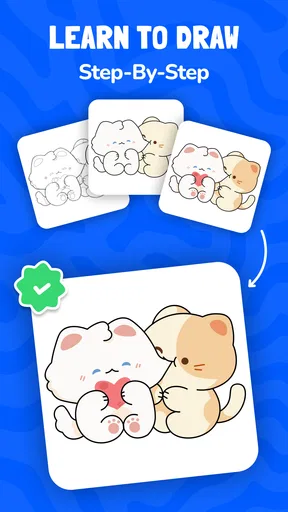
The lessons are a welcome counterweight to the social side. When someone is unsure where to begin, a guided activity can provide a starting point instead of leaving them with a blank canvas and the pressure to invent an idea. That makes Artmate easier to recommend to a friend who says, “I can’t draw,” but is willing to try a simple exercise. The guidance can help turn a group session from an awkward pause into a shared task.
A useful way to approach lessons is to treat them as a warm-up rather than a test. Try the basic idea, then personalize it: change the subject, add a playful detail, or see how differently each person interprets the same instruction. That keeps the activity social without requiring everyone to move at the same speed. The trade-off is that someone looking for advanced technique or extensive control may outgrow a beginner-friendly structure and prefer a specialist art app.
How it fits into everyday mobile use
On a phone, the strongest use case is a short creative break. I can imagine opening Artmate during a quiet evening call, choosing a small idea, and making a few sketches together rather than scrolling through separate feeds. It also suits a family activity where a child and an adult can follow a simple lesson side by side. The app’s Everyone content rating makes it broadly approachable, though parents should still decide what is suitable for their own household.
For a quick session, decide in advance whether you want to learn something or simply make a shared drawing. Those are different moods. A lesson is helpful when the group wants structure; an open-ended prompt works better when conversation is the main event. This small choice can prevent the session from stalling while everyone waits for someone else to choose what happens next.
Artmate is free to download, with optional in-app purchases listed from $0.49 to $14.99 per item. I’d begin with the free experience and only consider spending after you have tried the kind of drawing activity you actually expect to use. The price range tells you that optional purchases exist, but it is not a reason to assume every useful part requires payment. Before buying anything, check the item and its terms in the app store so you know precisely what you are choosing.
On a small screen, drawing has natural limits. A phone is handy for quick ideas and casual practice, but it can feel cramped if you want fine detail or long sessions. If your aim is careful illustration, a larger display and a drawing app designed for that workflow may be more comfortable. Artmate’s shared, approachable purpose makes more sense when convenience and company matter more than maximum precision.
When a session is interrupted
Network interruptions are worth planning for because a group drawing session is a shared moment. If someone drops out or the connection becomes unreliable, I would pause rather than keep pushing through a task that depends on everyone being present. Keep the subject simple enough to resume, and agree on a quick fallback such as chatting and returning to the drawing later. I would not rely on a session being preserved or synchronized in a particular way without checking how the app behaves in practice.
That distinction is important for anything you care about keeping. If you are making a casual doodle, an interruption may be no big deal. If the drawing has personal value or represents a lot of effort, take sensible steps within the app to retain your work before switching networks or closing it. I’m deliberately cautious here: recovery behavior can depend on the specific app flow and connection conditions, so it is better to test a short session before committing to a lengthy group project.
If a friend cannot join, first check the basics: whether both people have the app available, whether each device has a working connection, and whether the invitation or session setup is being followed as shown in the app. Avoid repeatedly creating new sessions until you know where the problem is; that can make it harder to tell whether the issue is the connection or the setup. For a first attempt, a brief test with one friend is a better way to learn the flow than organizing a large group immediately.
Use data thoughtfully on the go
Because shared activity relies on connectivity, mobile data may matter when Wi-Fi is unavailable. I would save longer sessions for a trusted Wi-Fi connection if I were trying to limit data use, and keep cellular sessions short until I had a sense of my own usage. This is a practical precaution, not a claim about how much data Artmate consumes. The amount can depend on how the app is being used and the network conditions.
It also helps to separate drawing time from connection troubleshooting. If the network becomes unreliable, continuing to reopen or restart the same activity can be frustrating. Pause, check the connection, and decide whether to continue later. For people with limited data or inconsistent service, the app may be best as an occasional planned activity rather than something to depend on during a commute or in places with patchy reception.
Artmate is currently at version 1.1.42 and supports Android 7.0 or later. That makes it relevant to a broad range of Android devices, though a compatible operating system alone cannot guarantee that every phone will feel equally comfortable for drawing. The app has a 4.6 average from around 23,000 ratings, and has passed 10 million installs. Those figures suggest that many people have tried it, but I would still judge it by whether its collaborative style matches what you want to do.
Who should choose it—and who should look elsewhere
I’d recommend Artmate to friends who want a gentle way to draw together, beginners who benefit from guided prompts, and families looking for a creative activity that does not demand artistic confidence. It is particularly appealing when the point is to spend time making something together, not to produce a portfolio-ready image. Starting with a small, shared prompt is likely to show its strengths faster than approaching it as a full-featured art workstation.
I would look elsewhere if you mainly need advanced editing, precise control, a solitary professional workflow, or an activity that must work regardless of network access. A traditional drawing app is a better fit for detailed personal projects, while a lesson-focused tool may be preferable if instruction matters more than drawing with friends. And if your connection is unreliable, the social element may become a source of friction instead of the app’s main attraction.
Overall, I see Artmate as a focused, friendly option rather than an all-purpose art tool. Its value comes from combining a shared drawing experience with lessons that can help people get past the blank-page problem. Keep sessions modest when connectivity is uncertain, start with a simple prompt, and try the free version before considering optional purchases. If drawing feels easier when someone else is doing it alongside you, Artmate: Drawing Together is worth a try; if you need a dependable solo studio above all else, I’d choose a more specialized alternative.
Artmate belongs to the art-and-design category, carries an Everyone age rating, and is free to install. The mix of a 4.6 average and more than 10 million installs gives it visibility, but the deciding question is personal: do you want your phone to be a place for polished individual work, or a way to make drawing social? For the second goal, Artmate: Drawing Together has a clear reason to be on your device.
Pros and cons
Pros
- Offers a friendly way to practice drawing with other people.
- Shared sessions can make creative practice feel more motivating.
- Suitable for beginners who want a relaxed drawing activity.
- Drawing together can spark ideas through others’ approaches.
- A social format can help make art practice a regular habit.
Cons
- The experience depends on finding other people to draw with.
- Drawing sessions may be less useful for focused solo practice.
- Different skill levels can make collaboration uneven.
- A stable internet connection is needed for shared activities.
- Users seeking advanced drawing tools may find it limited.


